Why willdo Is Built for Recurring AI Work, Not Just AI Chat
For teams that need processes, approvals, actions, and proof—not just clever answers—willdo fits a specific operational need.
When a team evaluates AI for recurring work, the useful question is no longer whether the technology is interesting or whether a prompt can save a few minutes.
Once that work crosses apps, touches important records, relies on internal rules, or needs approval at sensitive points, the evaluation changes. The team is not choosing a writing assistant or brainstorming partner. It is deciding whether a platform can become part of the company’s operating layer.
That narrower role is where willdo is strongest.
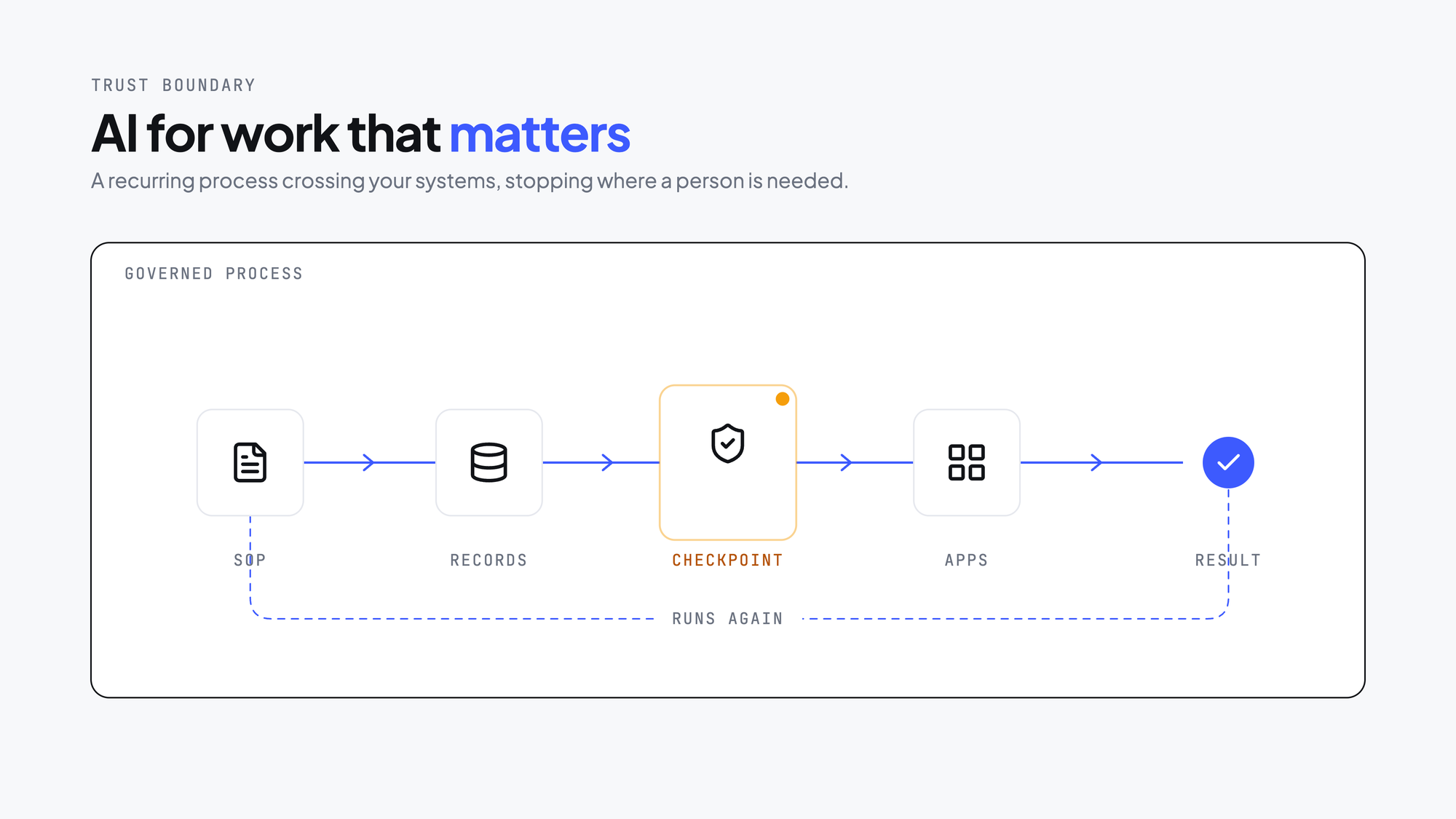
willdo is built for controlled, recurring company workflows
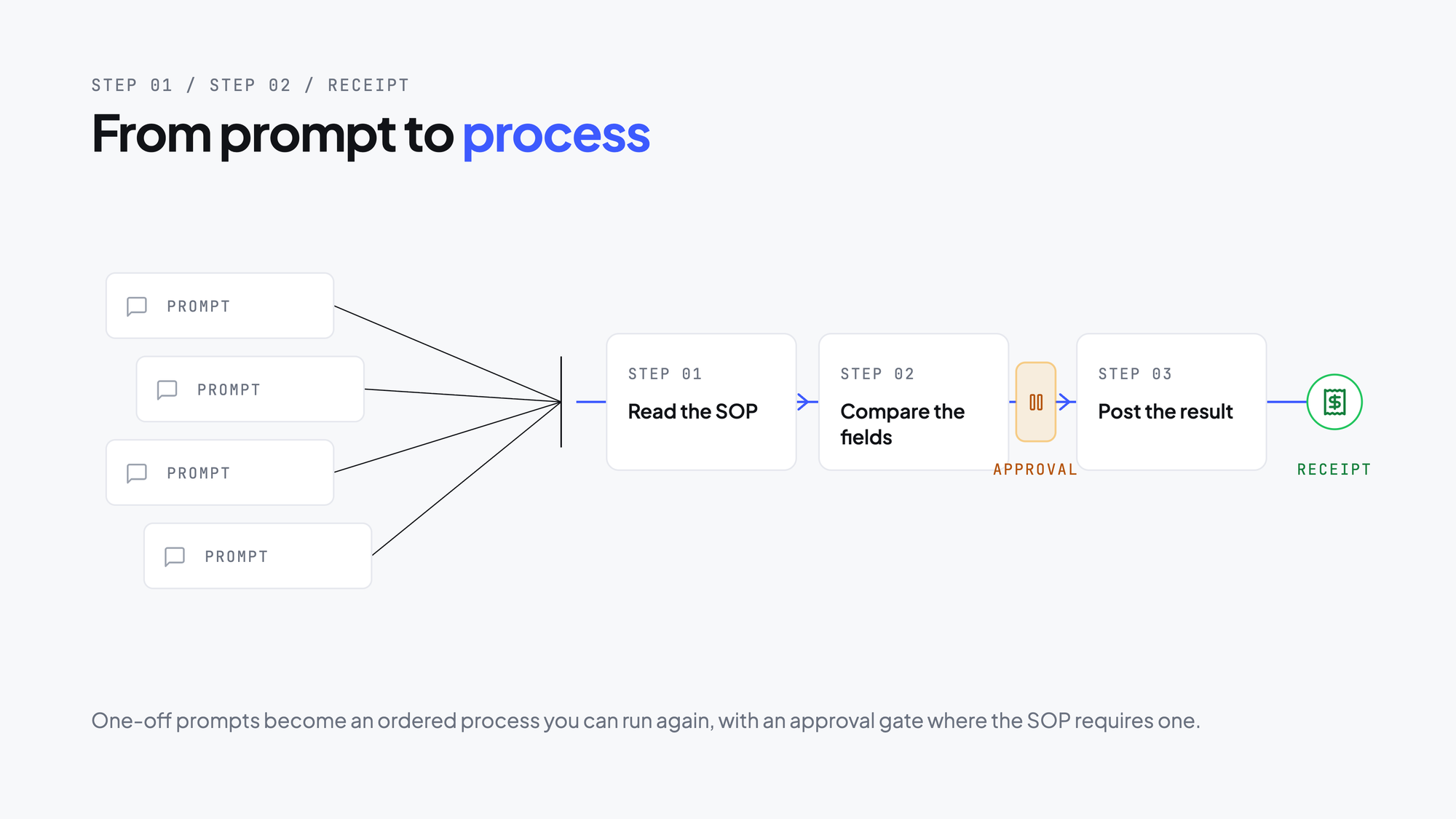
willdo’s core promise is not “AI that answers.” It is AI that helps run recurring cross-app work inside a controlled workflow. It turns one-time prompts into linked, reusable steps, so teams can build, audit, and manage processes in minutes instead of hours—and deliver repeatable outcomes. It is built to end the familiar cycle of spending 30 minutes writing and tweaking a prompt at 9AM, only to find it no longer works the next week or after a model update. Instead of asking teams to maintain an ad hoc prompt through repeated trial and error, willdo’s professionally designed step chain, audit log, and human approvals provide a controlled way to run recurring work.
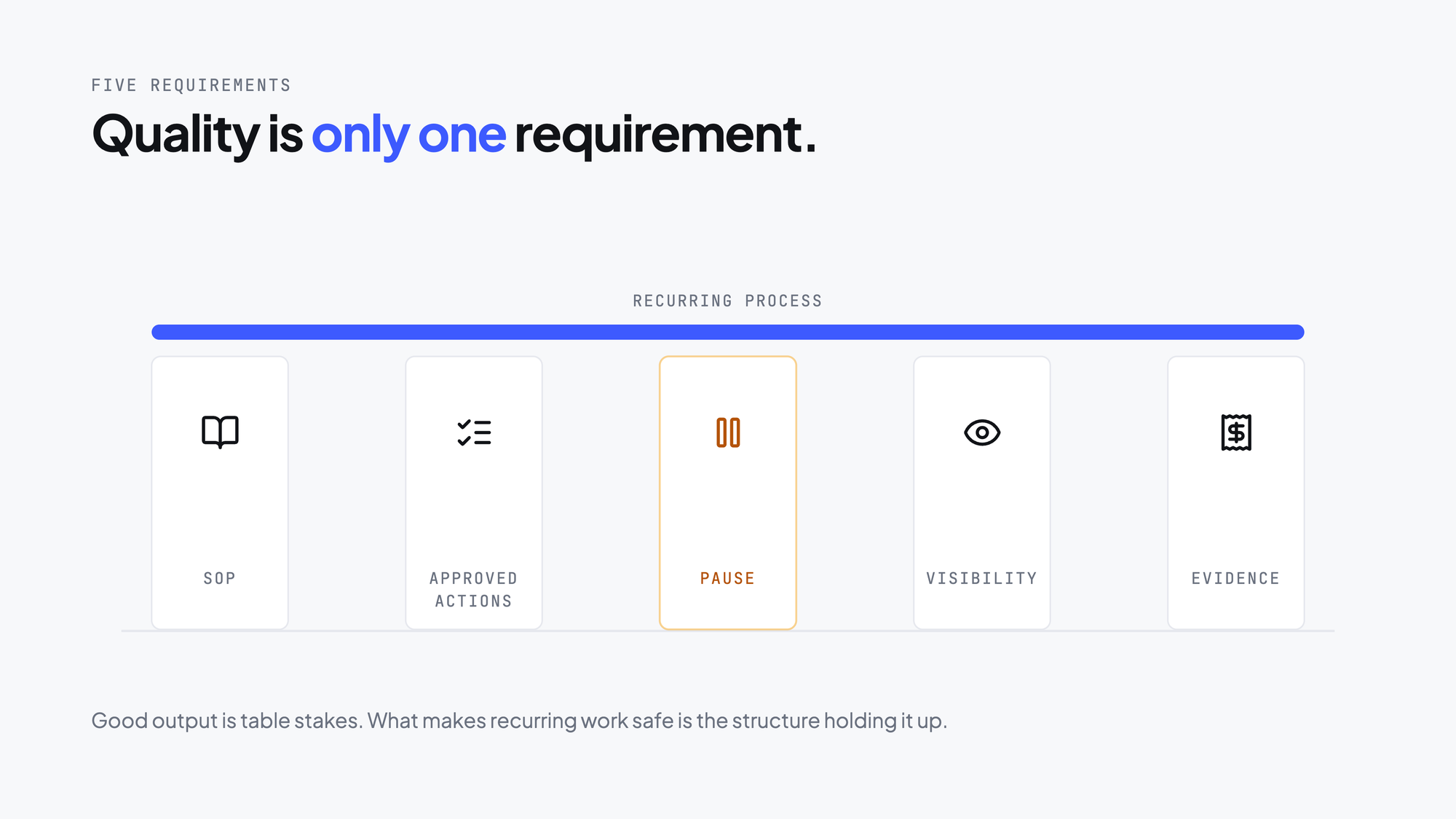
willdo is designed for work where output quality alone is not enough. The team also needs:
- Guidance from a real standard operating procedure (SOP).
- Controlled access to approved actions.
- Clear pause points for risky decisions.
- Visibility into what happened during the run.
- An evidence trail after the work is complete.
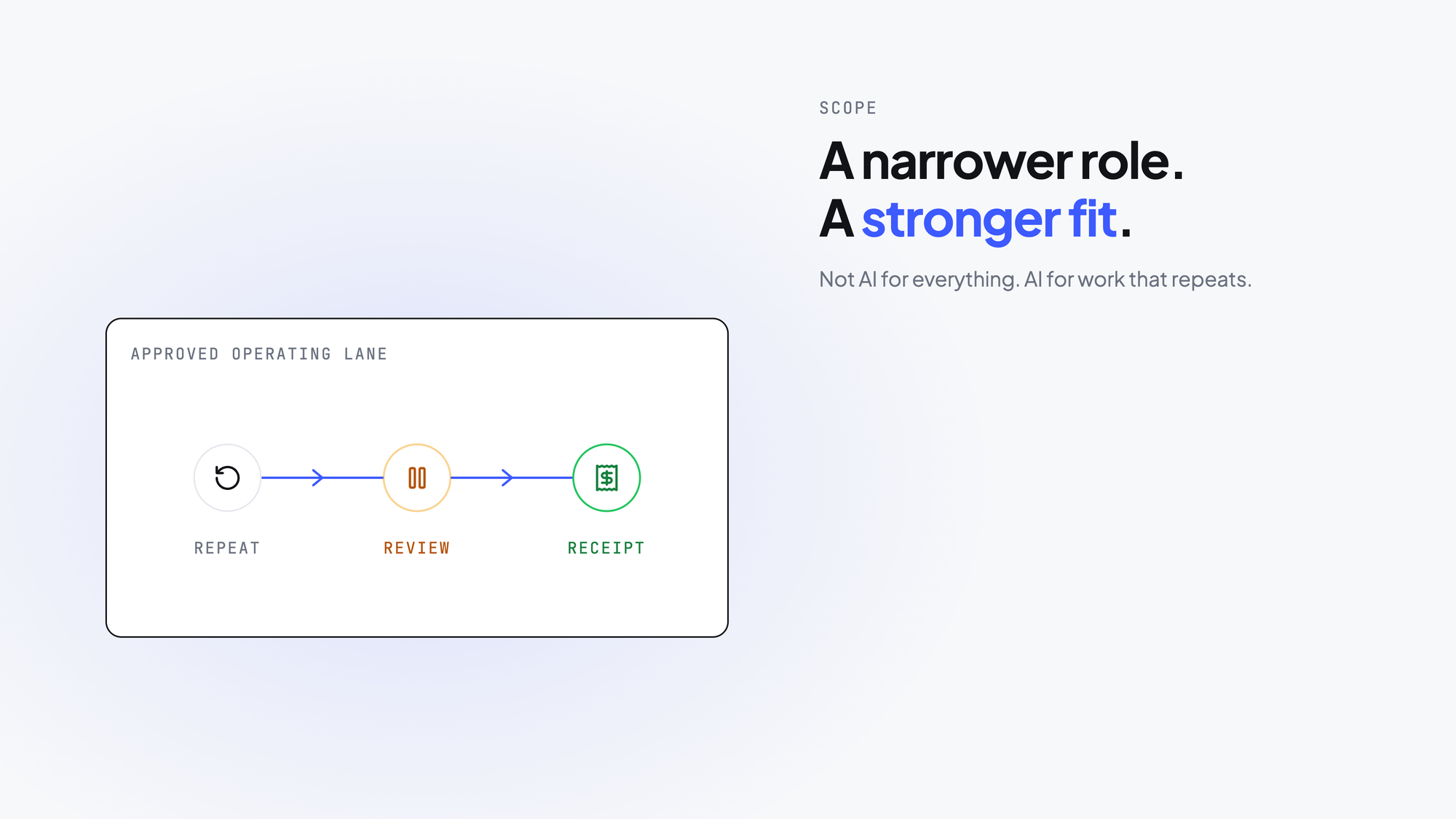
This is a narrower position than “AI for everything,” but it is more useful for teams with this specific problem.
If you need personal AI chat, general ideation, or low-stakes one-off help, willdo is probably not the point solution you are looking for. If recurring work needs to be safe, reviewable, and repeatable, the fit is much stronger.
The signal that your team has outgrown informal AI use
Teams usually start looking for a system like willdo when they can say:
- “We keep repeating the same task.”
- “The same rules apply every time.”
- “Someone still needs to check the result.”
- “We want AI to help, but not to act unchecked.”
- “If this goes wrong, we need to know what happened.”
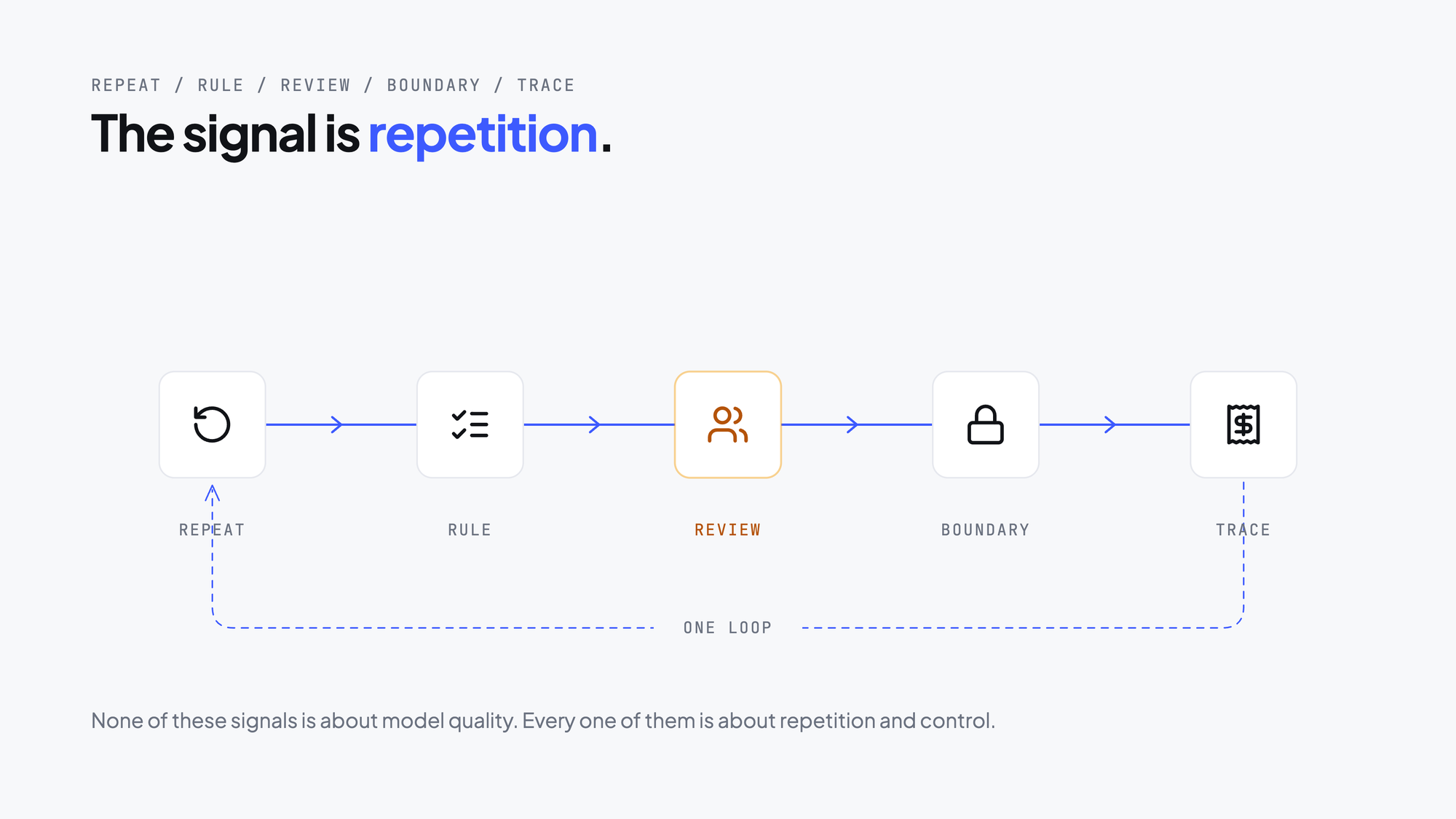
At that point, the question is not whether an AI model can help with one run. It is whether the company can turn that work into a repeatable system without making people carry all the process memory and risk by hand.
willdo is built for that transition.
Even a monthly task can qualify. Payroll is a useful example: the same cap and rule set apply every month, yet an administrator may have to re-enter those rules in a chatbox each time because there is no memory or persistence. That manual re-entry creates two costs—greater error risk and cumulative mental load. No single re-entry feels significant, but the accumulation does.
What a first successful workflow looks like in willdo
The clearest way to understand willdo is to follow the first workflow from setup to review.
It starts with one recurring process that happens often enough to matter and is structured enough to define.
1. Start with one real recurring workflow
Name a workflow that already exists in the business. willdo is strongest when there is a concrete operating pattern to improve, not only a broad desire to “use AI more.”
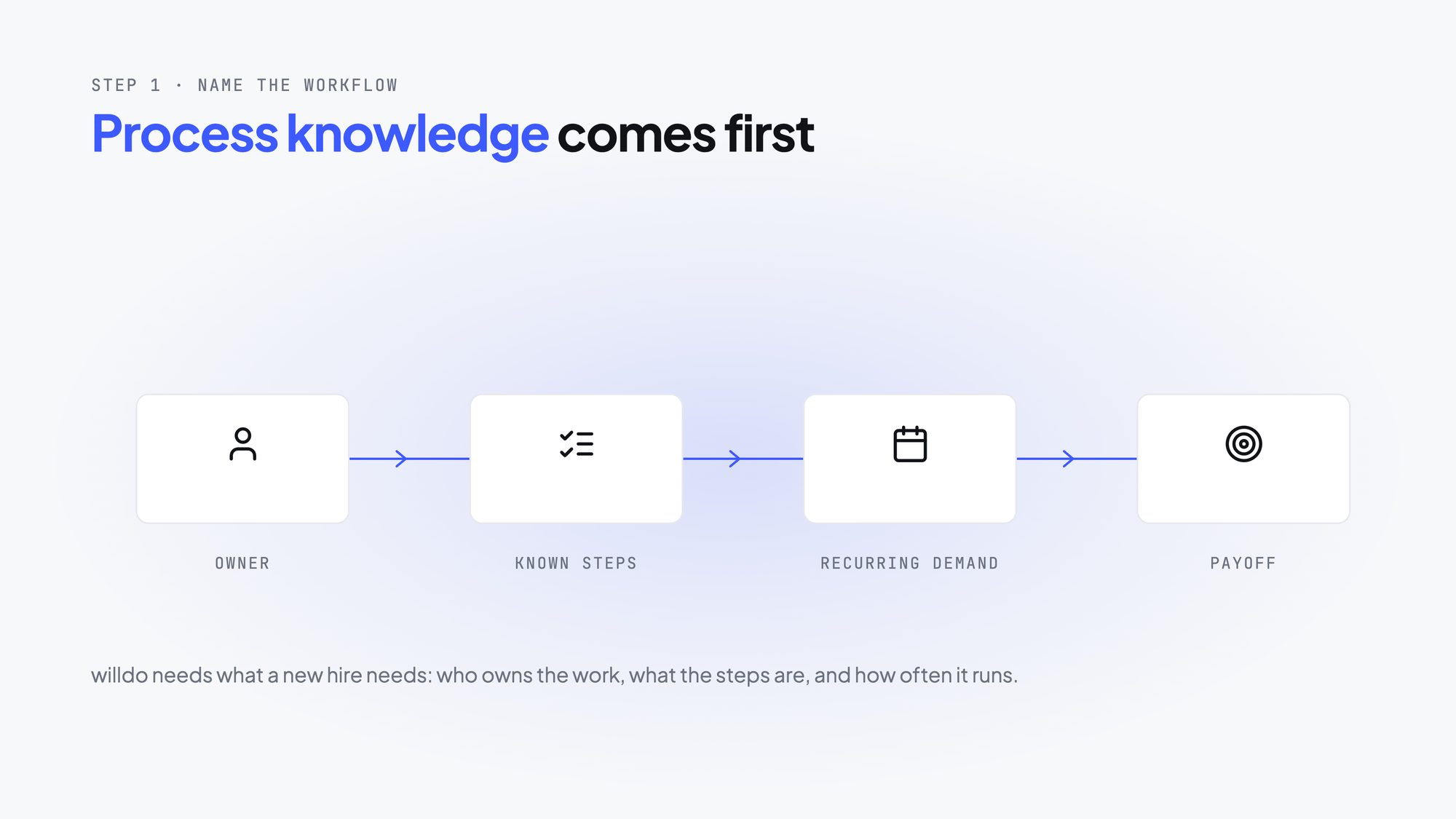
A good first workflow usually has a clear owner, known steps, recurring demand, and a meaningful payoff if the team can make it repeatable. The prerequisite is process knowledge, not engineering skill: the team needs to understand its own recurring process, how it flows, and where its guardrails are.
2. Ground the workflow in the SOP
This is one of the clearest differences between willdo and a generic AI tool.
Instead of asking someone to restate the instructions for every run, the workflow can use the company’s SOP and the context that belongs with it. That context might include reference documents, files, business rules, or prior workflow memory.
The work becomes operational rather than conversational. AI is not asked to figure out the process from scratch.
3. Scope the apps and actions
Recurring work often touches real systems, but trust does not come from letting AI act freely. It comes from deciding what the workflow may do.
willdo lets the team review which apps and actions are in scope. AI then works within approved boundaries instead of improvising across the company’s systems.
This reduces risk and gives leaders a clearer view of how the workflow is governed.
4. Define risk controls and approval points
Not every step needs the same degree of autonomy. Some actions can proceed without interruption; others should pause for human review. willdo is built around that distinction.
At this point, the workflow becomes more than a chain of instructions. The team defines where it can proceed, where it should slow down, and where a person must make the final call.
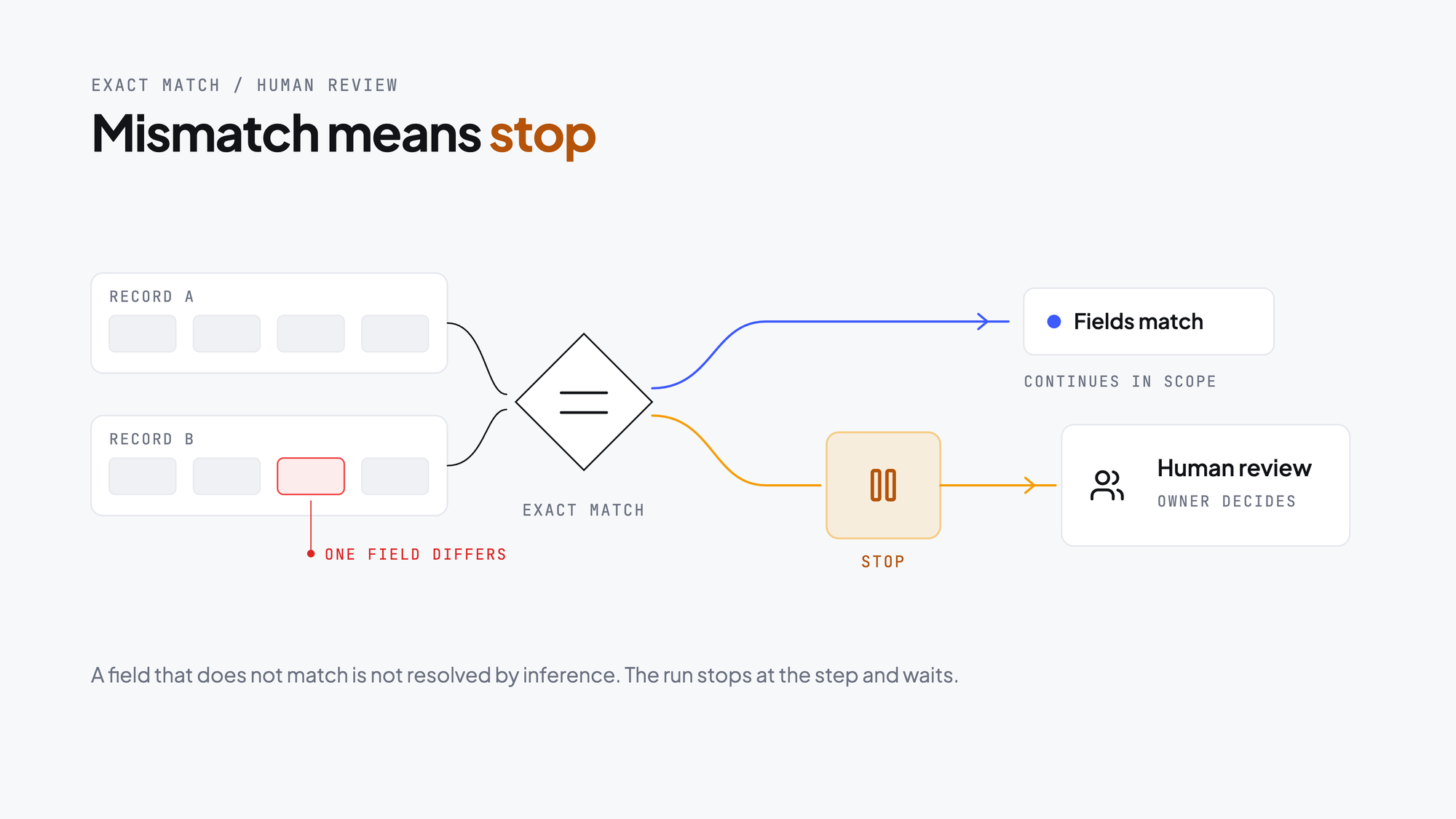
For high-stakes work such as payroll or invoices, there is no partial pass. Invoice amounts, salary figures, and every submitted detail must match the source exactly. A mismatch should trigger a hard stop, not a guess.
Those controls are essential when work involves financial data, customer-facing actions, operational changes, or anything else where trust matters more than raw speed.
5. Run the workflow and inspect its behavior
The first run is a chance to build trust, not just display what the AI can do.
A strong run shows that the workflow can follow the expected process, use the right context, respect the allowed actions, and pause where it should.
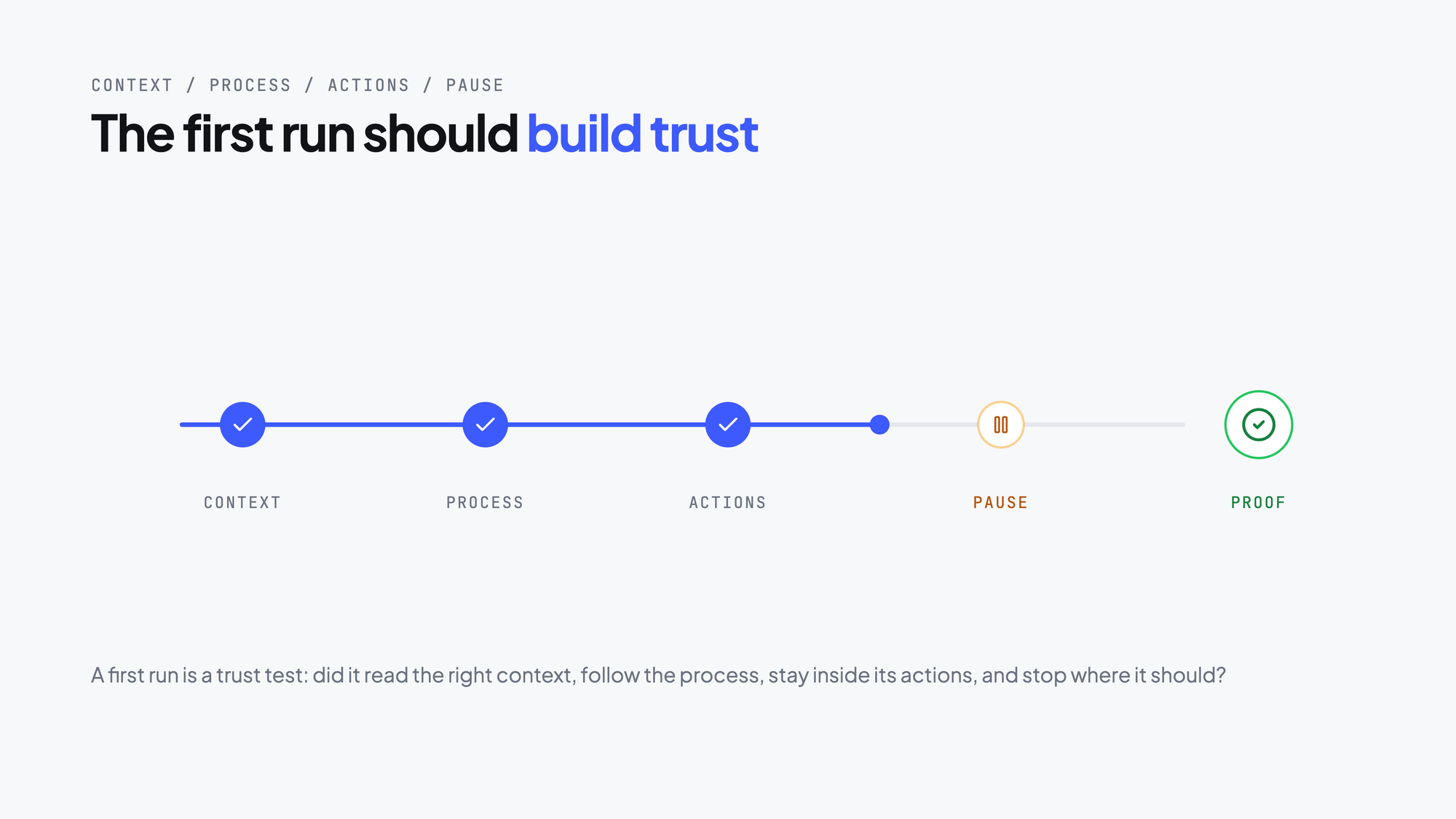
The important proof is not that the AI did something impressive. It is that the workflow behaved the way the team needed it to behave.
That is a more useful test for operational adoption.
6. Bring in the owner only when judgment is needed
A mature workflow system shows its value when the process reaches an issue.
Weak systems may fail without a useful explanation or continue with too much confidence. willdo takes a more practical approach. If a payroll or invoice amount does not match the source exactly, the workflow stops immediately. It surfaces a decision card that explains precisely what does not match and routes it to the named workflow owner—not a generic user.
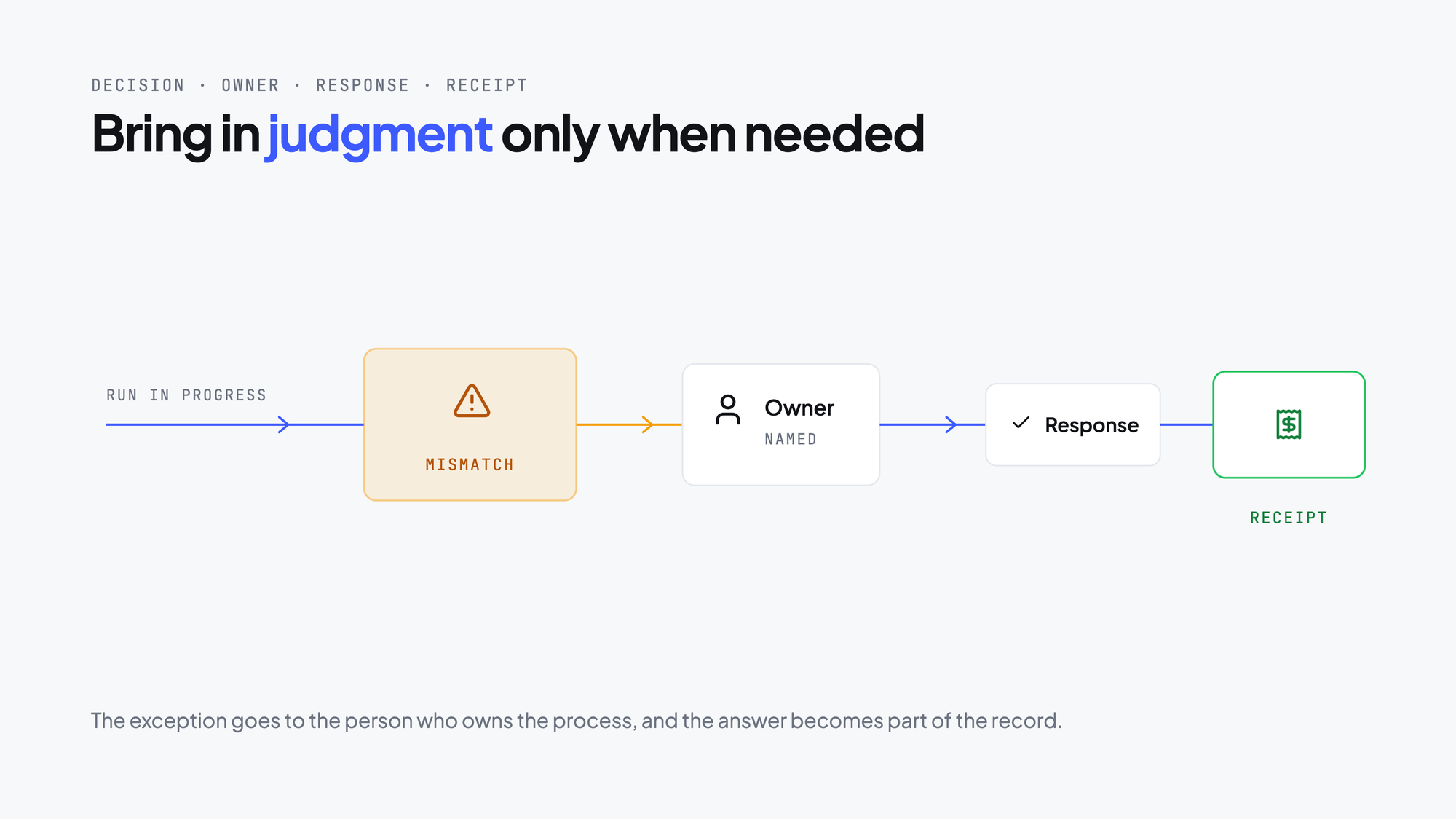
The owner responds to the decision card. The audit log then records that the decision was sent to that owner and that the workflow continued only after the human decision. The complete chain is visible: decision card → workflow owner → response → audit log.
The owner does not have to watch every step. They are brought in when their judgment is needed, while the guardrail prevents a high-stakes mismatch from being silently passed through. This is more practical than either blind automation or constant babysitting.
7. Review the Activity and Action Receipt
After a run, the team should not have to rebuild the story from memory.
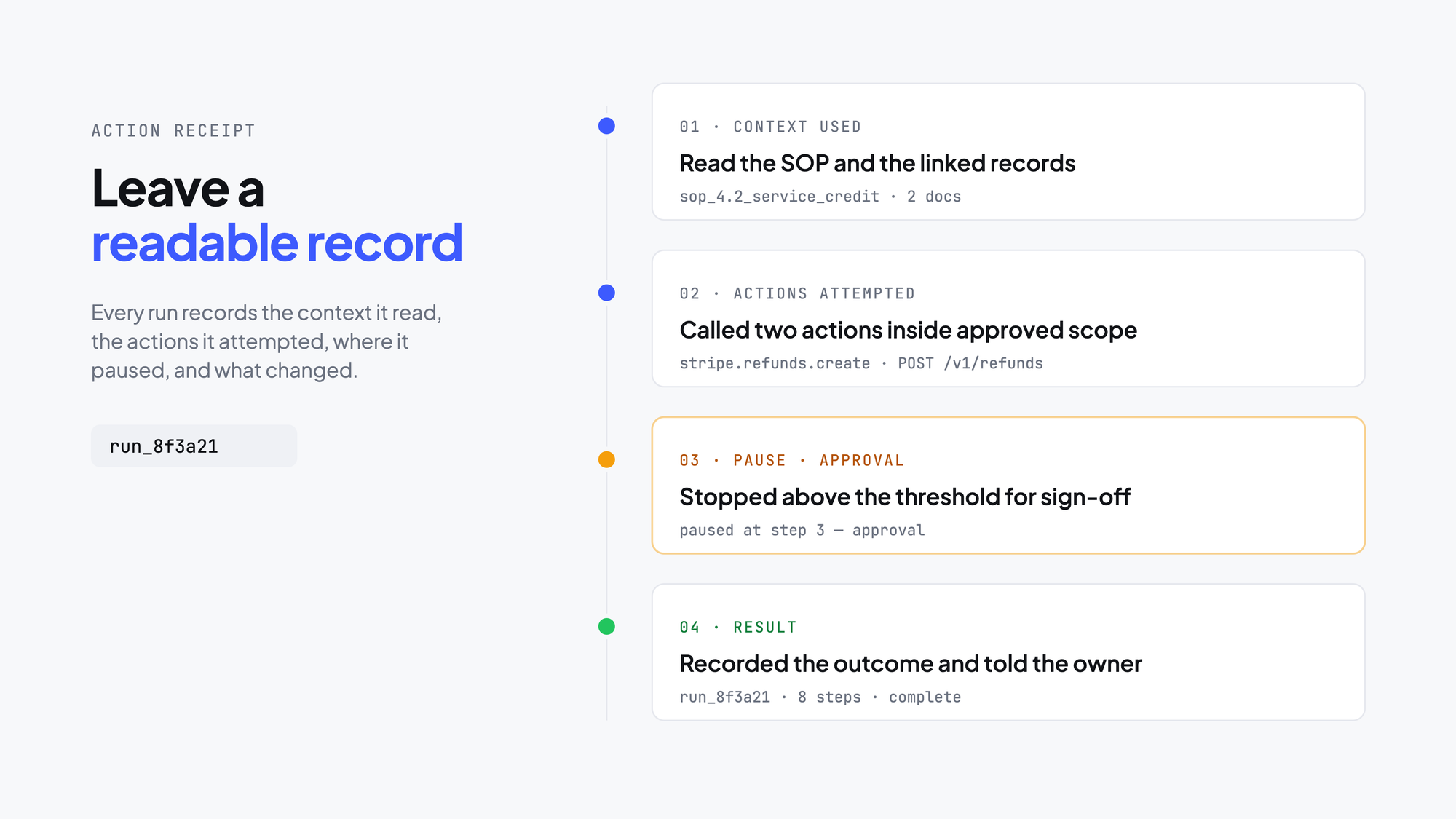
willdo’s Activity and Action Receipt model provides a readable record of what happened: the context the workflow used, the actions it attempted, where it paused, who approved, and the final result. The audit trail makes the process and reasoning chain followable after the fact.
This evidence is an important distinction between willdo and a generic assistant. It gives the team a way to inspect the workflow, build trust in it, and improve it over time.
The design addresses the buyer’s real fear
The deepest concern in recurring AI work is usually not whether AI can write well. It is what happens when AI participates in a real process:
- What if it takes the wrong action?
- What if we cannot see why it did that?
- What if a person should have stepped in sooner?
- What if we cannot prove what happened later?
willdo addresses those concerns by structuring how AI takes part in the workflow. It replaces one-off, drifting prompts with deterministic, auditable, repeatable workflows. It does not promise perfect autonomy.
That is a more credible promise: my team can delegate recurring work to AI without losing control.
For operational buyers, that matters more than a broad claim about intelligence.
The moat is workflow operating memory
Many AI products can copy visible features or introduce agents, assistants, and workflows by name. The harder part to replace is the operating memory that a workflow system builds over time.
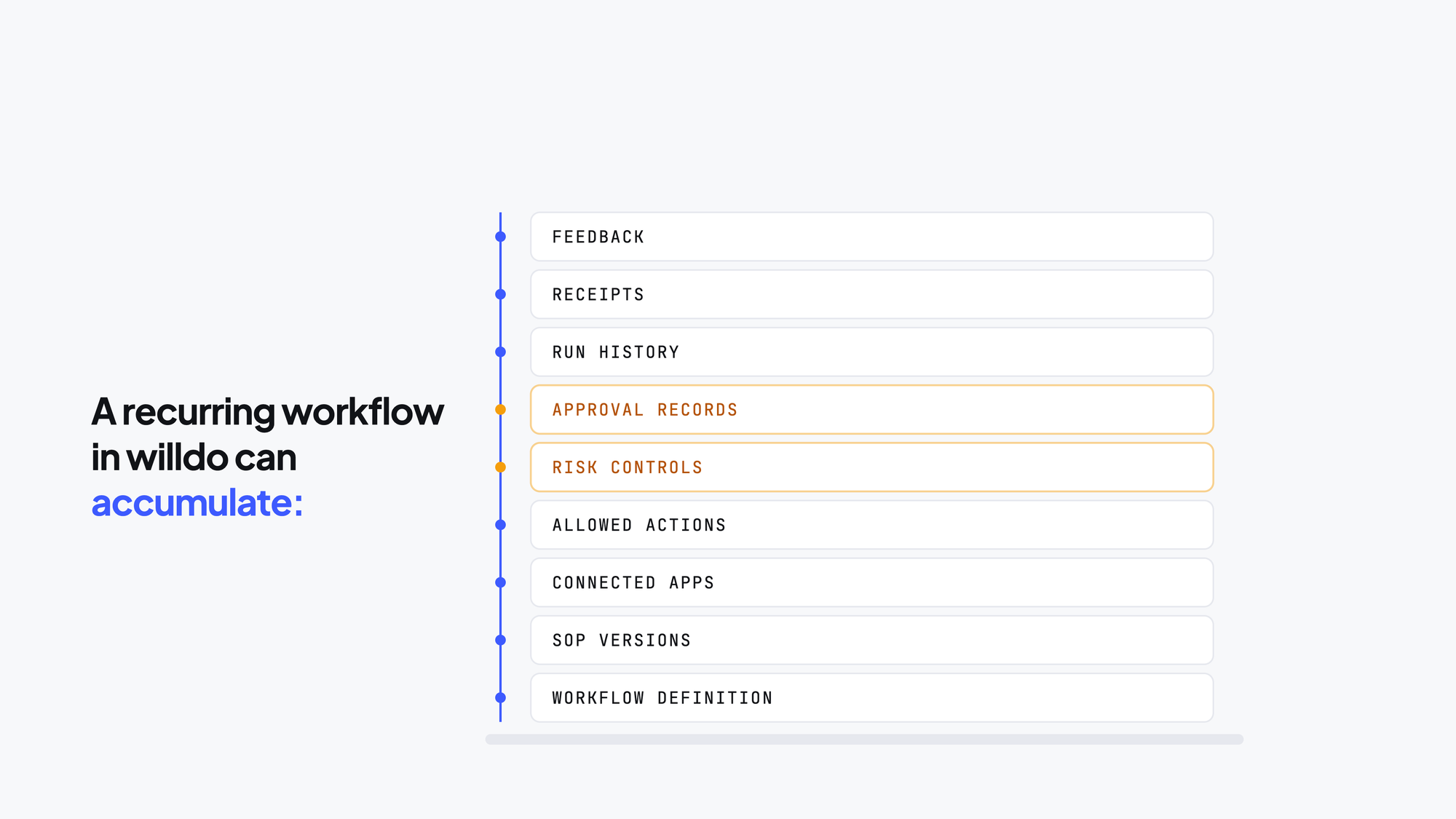
This is why the product story becomes stronger after the first workflow. The first workflow proves trust. The second proves adoption. At the six-month mark, success means workflows the team can rely on without micromanagement: they have become part of how the team operates rather than another system to watch constantly.
That operating memory is harder to replace than a one-off AI interaction.
When willdo is the right fit
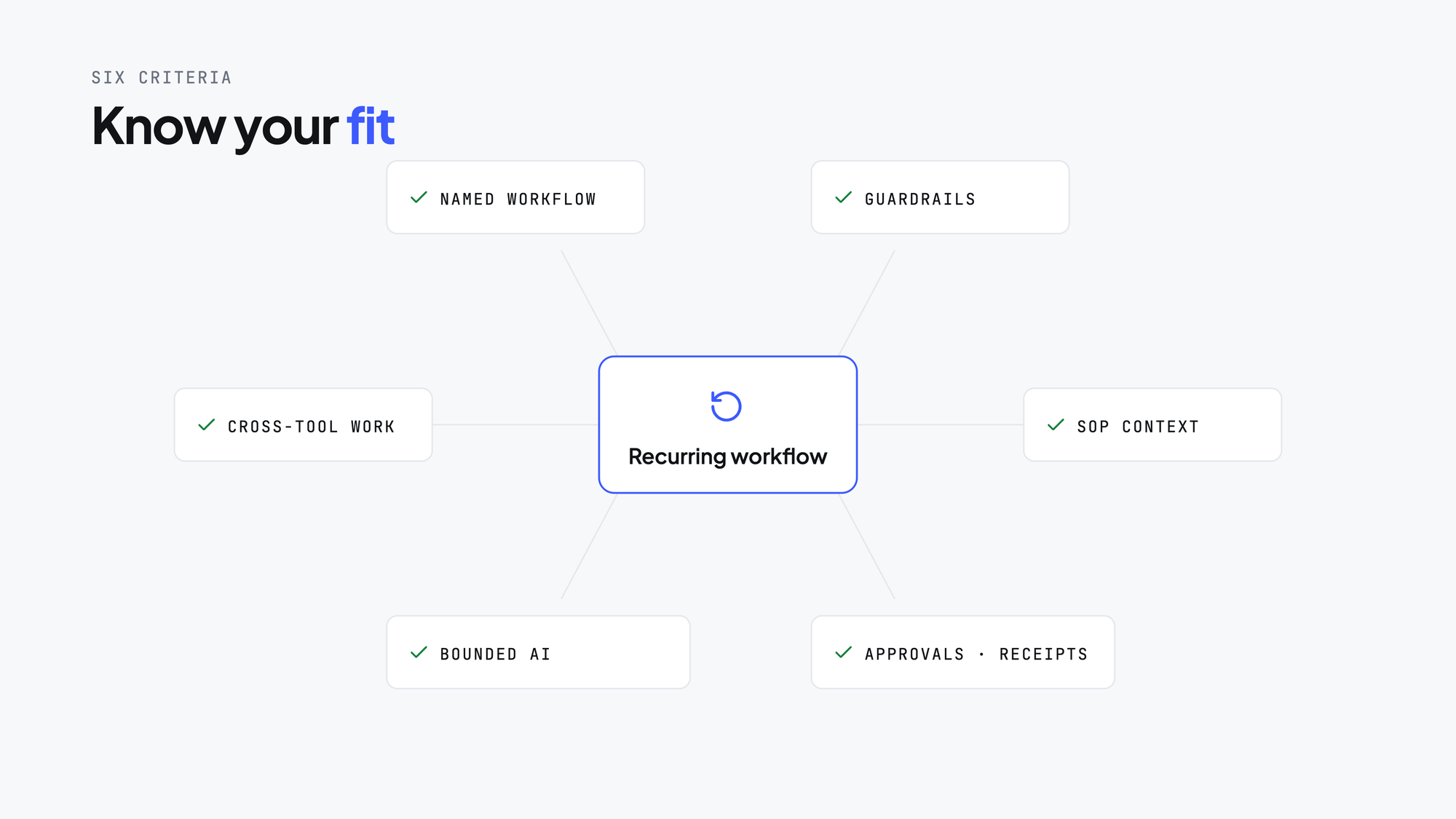
willdo is strongest when the team can clearly say:
- We can name the recurring workflow.
- We know the process and guardrails.
- The work crosses tools, people, or systems.
- It needs context from real business documents or SOPs.
- We want AI leverage without unchecked action.
- Approvals, Activity, and receipts matter to us.
That combination defines willdo’s sweet spot. It also explains why willdo is not trying to be a generic chat replacement. It is built for governed recurring work.
Use one recurring workflow as the decision test
At the decision stage, do not ask, “Which product uses AI most impressively?”
Ask instead: Which product can turn one recurring workflow into a safe, repeatable operating pattern we can trust?
willdo’s answer starts with one real workflow. It turns prompts into linked reusable steps, uses SOPs and business context, limits actions to an approved scope, applies exact-match guardrails, pauses at risky moments, routes decisions to the named owner, and leaves a readable audit trail afterward. Its value grows as the workflow builds operating memory and produces outcomes the team can trust without micromanagement.
For teams that already know the chatbox is not enough, that is the kind of platform worth evaluating.